
Best Gaming Laptops For Under $2500 | Gaming Laptop Deals

Shopping for the best gaming laptops for under $2500 can feel overwhelming. There are dozens of options, confusing specs and prices that shift every week. But here’s the truth: $2500 is a fantastic budget for a gaming laptop.
At this price, you’re getting machines that run today’s biggest games without breaking a sweat, sport beautiful high refresh displays and feel premium in your hands.
Whether you’re hunting for the best affordable gaming laptop for college, looking for a powerful gaming laptop to replace your desktop or just want a good inexpensive gaming laptop that doesn’t cut corners.
This guide has you covered. We’ve done the hard work so you can make a smart, confident decision.
Best Gaming Laptops For Under $2500
1. Lenovo Legion Pro 7i
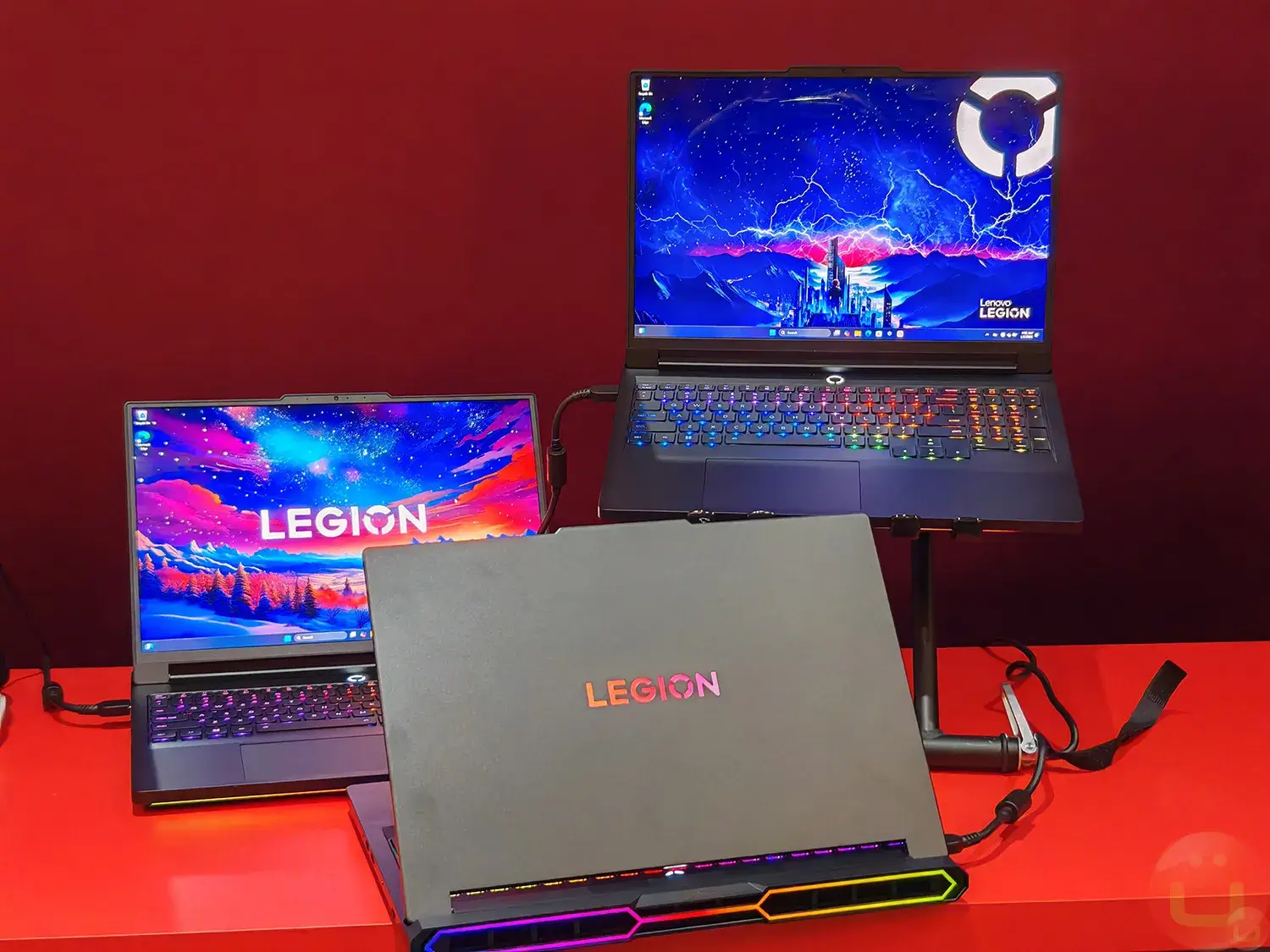
The Lenovo Legion Pro 7i is built for one thing pure, uncompromising gaming performance. If you’re searching for the best gaming laptop at this price range, this machine deserves to be at the top of your list.
Key Specifications – Lenovo Legion Pro 7i
| Component | Details |
|---|---|
| CPU | Intel Core Ultra 9 275HX (24 Cores) |
| GPU | NVIDIA GeForce RTX 5070 Ti |
| Display | 16″ 2.5K WQXGA OLED, 240Hz |
| RAM | 32GB |
| Storage | 2 × 1TB SSD (2TB Total) |
| Battery | 99.9Whr — Airline Safe |
| Charging | 400W Super Rapid Charge |
| Cooling | Legion Coldfront Vapor Chamber (250W) |
| Bonus | 2 Months Xbox Game Pass |
Key Features – Lenovo Legion Pro 7i
- Next-Gen Processing Power The Intel Core Ultra 9 275HX with 24 cores is one of the fastest mobile processors available today.
- Whether you’re gaming, streaming or running multiple apps at once, it handles everything without breaking a sweat.
- RTX 5070 Ti Graphics Paired with the NVIDIA GeForce RTX 5070 Ti, this laptop delivers next-generation visuals with full support for ray tracing and DLSS 4.
- Expect stunning frame rates and lifelike graphics in even the most demanding titles.
- Stunning OLED Display The 16″ 2.5K OLED panel at 240Hz is a genuine showstopper.
- Deep blacks, rich colors and ultra smooth motion make every game and every movie look incredible.
- This is the kind of display you can’t stop looking at.
- Whisper Quiet Cooling Lenovo’s Coldfront vapor chamber manages up to 250W of heat output, keeping the laptop cool and quiet even under heavy load.
- No more jet-engine fan noise during late-night gaming sessions.
- AI-Powered FPS Optimization The built in Lenovo AI Engine+ monitors and tunes your performance in real time automatically boosting FPS when it matters most, so you never have to dig through settings manually.
- Fast Charging + Travel Friendly Battery The 99.9Whr battery is airline approved for travel and 400W Super Rapid Charge means you’re back to full power faster than any competitor in this class.
Best Use Cases – Lenovo Legion Pro 7i
- AAA Gaming: Run titles like Cyberpunk 2077, Black Myth: Wukong, and Elden Ring at max settings with smooth frame rates
- Competitive eSports: The 240Hz OLED display gives you a real edge in fast-paced games like Valorant, CS2, and Apex Legends
- Content Creation: The 24-core CPU and RTX 5070 Ti handle video editing, 3D rendering, and streaming like a pro machine
- Work + Study: 32GB RAM and 2TB storage make this a capable daily driver beyond just gaming
- Travel Gaming: Fast charging and an airline-safe battery make it a solid road companion
Who Is This Laptop Best For?
The Lenovo Legion Pro 7i is the perfect match if you are:
- A hardcore gamer who wants desktop-level performance in a portable machine.
- A content creator who needs raw CPU and GPU power for editing and rendering.
- A frequent traveler who can’t stay connected to a power source all day.
- Someone who wants a premium all rounder that handles gaming, work and everything in between.
It’s not the best fit if you’re on a strict budget or need a lightweight ultrabook. This is a performance first machine and it’s priced accordingly.
Pros and Cons – Lenovo Legion Pro 7i
| Pros | Cons |
|---|---|
| Powerful Intel Core Ultra 9 (24 cores) | Very limited customer reviews so far |
| RTX 5070 Ti — next-gen GPU performance | Protection plan costs extra |
| Stunning 2.5K OLED 240Hz display | Port details not publicly listed |
| 32GB RAM + 2TB SSD storage | |
| Vapor chamber cooling — quiet under load | |
| 400W Super Rapid Charge | |
| 2 months Xbox Game Pass included |
2. ASUS ROG Strix G16
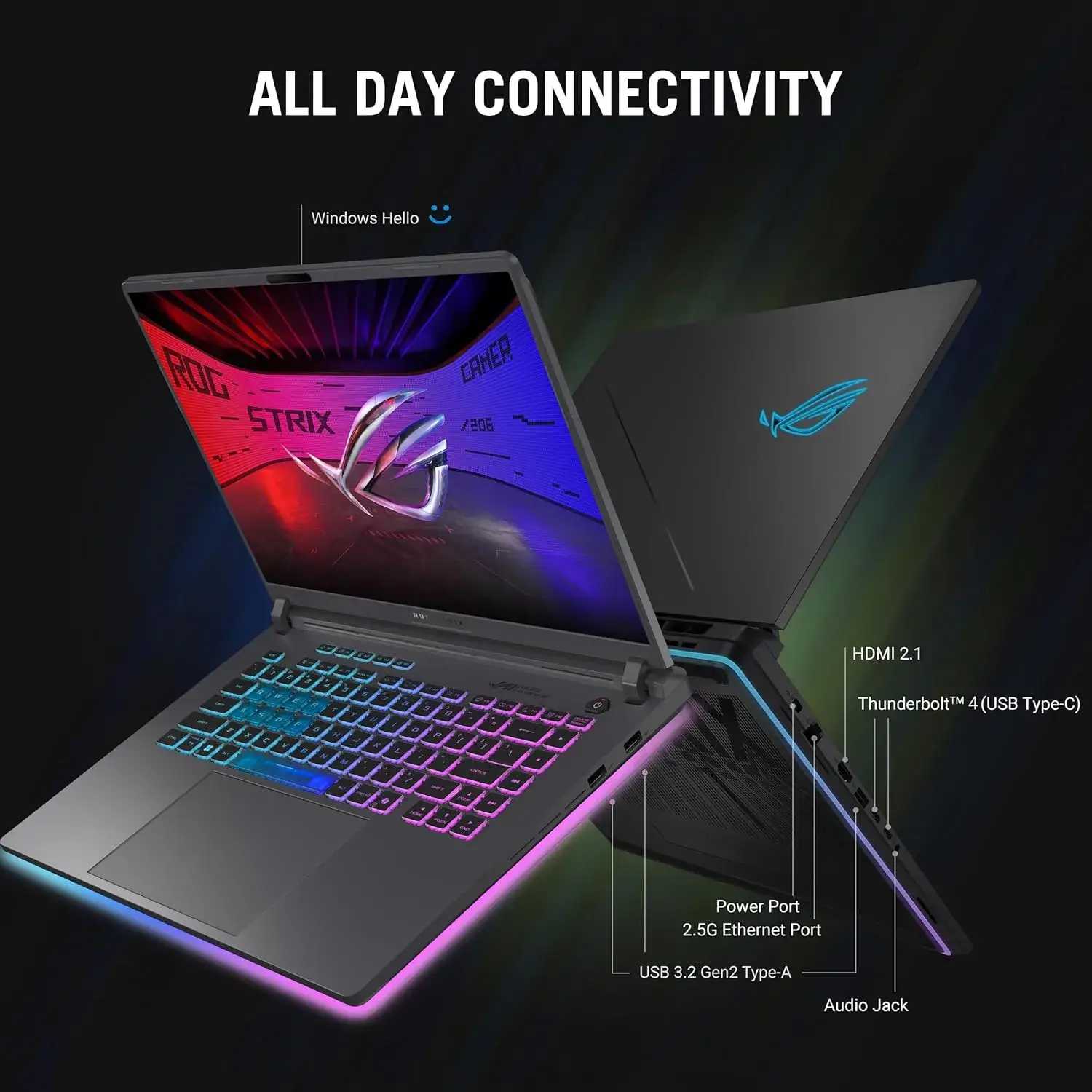
Looking for a good inexpensive gaming laptop that doesn’t cut corners on performance? The ASUS ROG Strix G16 is exactly that. At under $1,400, it delivers solid mid range gaming power, a smooth display, and room to grow making it one of the best affordable gaming laptops on Amazon right now.
Key Specifications – ASUS ROG Strix G16
| Component | Details |
|---|---|
| CPU | Intel Core i7-14650HX |
| GPU | NVIDIA GeForce RTX 5060 (Blackwell, DLSS 4) |
| Display | 16″ FHD+ 165Hz, 3ms Response, 16:10 |
| RAM | 16GB DDR5-5600MHz (Upgradable) |
| Storage | 1TB PCIe Gen 4 SSD (Upgradable) |
| Connectivity | Wi-Fi 7 |
| Audio | Dolby Atmos |
| OS | Windows 11 Home |
| Bonus | 3 Months PC Game Pass |
Key Features – ASUS ROG Strix G16
- Capable Mid-Range GPU The NVIDIA RTX 5060 runs on Blackwell architecture with full DLSS 4 support meaning AI-powered frame generation keeps your games smooth even when the GPU is pushed. It’s not the most powerful chip out there but for its price point, it punches well above its weight.
- Smooth 165Hz Display The 16″ FHD+ panel at 165Hz with a 3ms response time is great for fast paced gaming. The 16:10 aspect ratio gives you a little extra vertical screen space handy for both gaming and everyday use. An ACR anti glare film also reduces reflections in bright rooms.
- Tool Free Upgradability One of the standout features of this laptop is how easy it is to upgrade. Both the RAM and SSD are accessible without tools so if 16GB ever feels limited down the road, you can expand it yourself without voiding anything or paying a technician.
- ROG Intelligent Cooling ASUS’s ROG Intelligent Cooling system keeps thermals in check during sustained gaming sessions. Most users report quiet fan operation during light to moderate use though expect fans to ramp up during heavier loads, which is completely normal for this class.
- Wi-Fi 7 + Dolby Atmos Connectivity and audio are well covered. Wi-Fi 7 means faster, more stable online gaming and Dolby Atmos brings a noticeable improvement to in game sound and cinematic audio.
Best Use Cases – ASUS ROG Strix G16
- Mid-Range Gaming: Runs demanding titles like Jedi Survivor, Hogwarts Legacy and modded Minecraft at high/ultra settings with 60–120+ FPS
- Esports Titles: Smooth 165Hz display is great for Valorant, Fortnite and CS2
- Content Creation: Capable enough for video editing, light rendering and streaming on a budget
- Students and Everyday Use: A solid all rounder for coursework, media and gaming in one machine
- Future Proofing on a Budget: Upgradable RAM and SSD mean this laptop can grow with you
Who Is This Laptop Best For?
The ASUS ROG Strix G16 is a great fit if you are:
- A budget conscious gamer who wants real gaming performance without spending $2,000+
- A student who needs a powerful laptop for both studying and gaming
- Someone who likes the idea of upgrading their own hardware down the line
- A gamer stepping up from a mid-tier machine for the first time
It may not be ideal if you need the absolute best GPU performance, do heavy 3D rendering or need all day battery life away from a plug.
What Real Buyers Are Saying – ASUS ROG Strix G16
With 463 ratings and a 4.5 star average, the ROG Strix G16 has clearly earned its Amazon’s Choice badge. Most buyers praise the screen quality, build, and performance for the price of running demanding games smoothly right after setup.
A few common tips from the community worth noting:
- Update your BIOS and drivers immediately after unboxing for best performance
- Use Turbo mode when gaming for peak clock speeds
- A cooling pad can help if your desk setup gets warm
- Battery life is 2-3 hours while gaming keep the charger nearby
A small number of users reported higher temperatures and occasional FPS drops, so staying on top of driver updates and thermal management goes a long way.
Pros and Cons – ASUS ROG Strix G16
| Pros | Cons |
|---|---|
| Excellent price to performance ratio | 16GB RAM may need an upgrade for heavy multitasking |
| RTX 5060 with DLSS 4 support | Poor battery life during gaming (2–3 hrs) |
| Smooth 165Hz FHD+ display | Needs BIOS/driver update out of the box |
| Tool-free RAM & SSD upgrades | Bottom can get warm under heavy load |
| Wi-Fi 7 for fast, stable connection | Mixed ASUS warranty experiences reported |
| Dolby Atmos audio | |
| 3 months PC Game Pass included |
3. Razer Blade 15
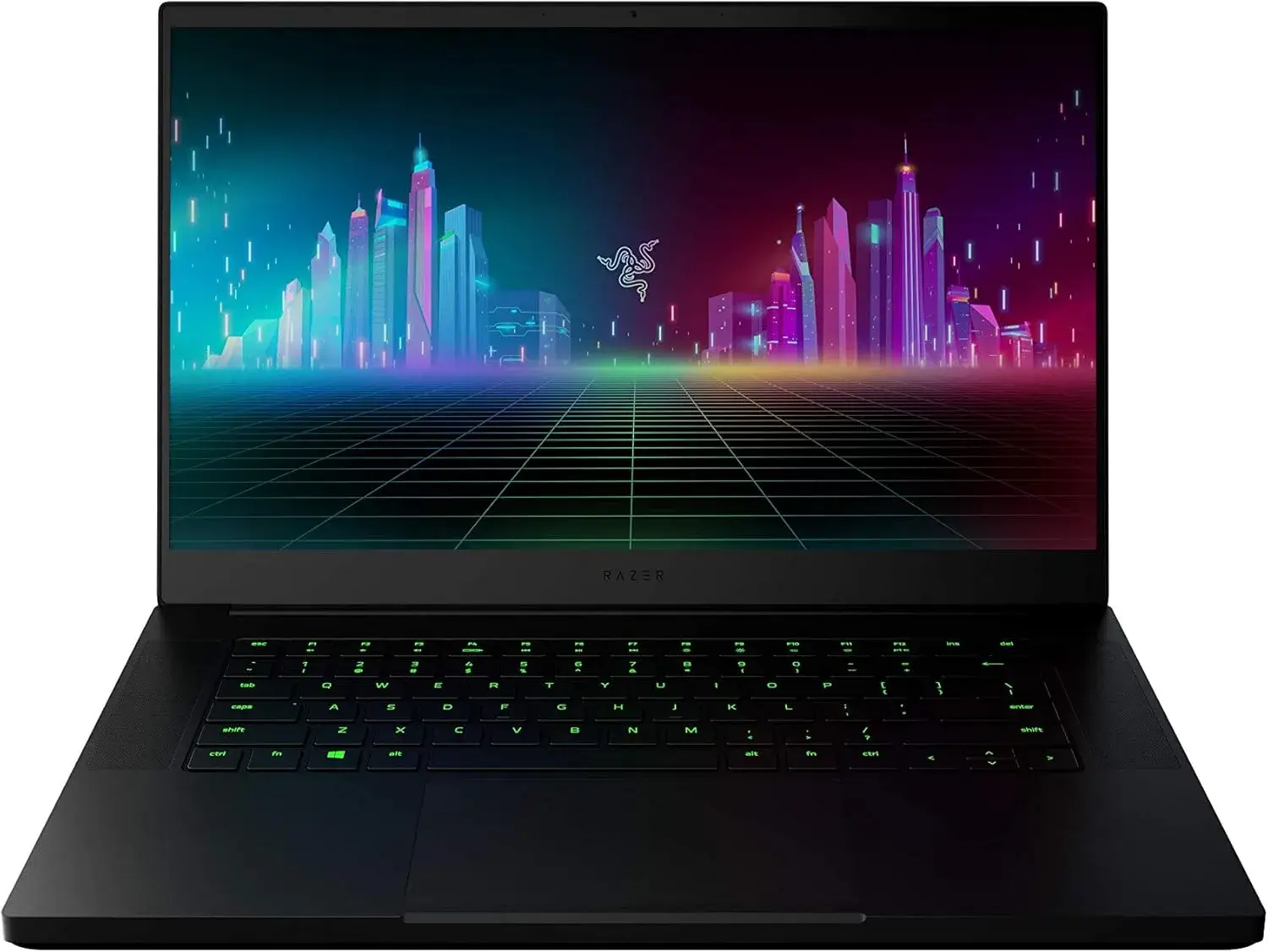
Want the Razer Blade 15 experience without the Razer Blade 15 price tag? This 2020 model offers exactly that. It’s sleek, solid and still capable enough to handle modern gaming and all at a price that won’t empty your wallet. If you value build quality and design as much as raw performance, this is a hard laptop to walk past.
Key Specifications – Razer Blade 15
| Component | Details |
|---|---|
| CPU | Intel Core i7-10750H (6-Core, up to 5.0GHz) |
| GPU | NVIDIA GeForce GTX 1660 Ti |
| Display | 15.6″ FHD 1080p, 120Hz, Thin Bezel |
| RAM | 16GB |
| Storage | 256GB SSD |
| Chassis | CNC Aluminum Unibody (0.78″ Thin) |
| Connectivity | Wi-Fi (Wireless-AC), Bluetooth 5.0 |
| Lighting | Chroma RGB |
| OS | Windows 10 Home |
| Ports | 2× USB-A, 2× USB-C |
Key Features – Razer Blade 15
- Premium Aluminum Build The Razer Blade 15 is one of the best-looking gaming laptops you can buy period. The CNC aluminum unibody chassis feels incredibly solid and premium, measuring just 0.78 inches thin. It looks just as at home in a coffee shop as it does on a gaming desk. For gamers who care about aesthetics, nothing at this price comes close.
- Capable 10th Gen Performance The Intel Core i7-10750H with a 5.0GHz Max Turbo is still a competent processor for gaming and everyday tasks. Paired with the NVIDIA GTX 1660 Ti, you’re getting solid 1080p gaming performance across a wide library of titles especially older and less demanding games which run beautifully.
- Smooth 120Hz Display The 15.6″ FHD 1080p display at 120Hz delivers noticeably smoother gameplay compared to standard 60Hz laptops. Thin bezels on all sides give it a modern, clean look that makes the screen feel larger than its size suggests.
- Chroma RGB Lighting Razer’s signature Chroma RGB keyboard adds personality and full per-key lighting customization. It’s the kind of detail that makes using this laptop every day genuinely enjoyable.
Best Use Cases – Razer Blade 15
- 1080p Gaming: Handles popular titles like GTA V, Valorant, Fortnite and older AAA games comfortably at medium to high settings
- Everyday Computing: Fast and responsive for browsing, productivity and media consumption
- On the Go Use: Ultra slim aluminum build makes it easy to carry between classes, offices or coffee shops
- Budget Razer Fans: Perfect entry point into the Razer ecosystem without paying flagship prices
Who Is This Laptop Best For?
The Razer Blade 15 (2020) is a great match if you are:
- A casual to mid-level gamer who plays a mix of older and less demanding modern titles
- Someone who prioritizes design and portability alongside performance
- A student or professional who wants one laptop that looks great everywhere
- A buyer on a tight budget who still wants premium build quality
It may not be the right fit if you’re chasing high frame rates in the latest AAA releases or need more than 256GB of storage right away.
What Real Buyers Are Saying – Razer Blade 15
With 647 ratings and a solid 4.5 star average, the Razer Blade 15 has built a strong reputation over time. Buyers consistently praise the premium build quality, sleek design and smooth 120Hz display. At this used price point, most agree it offers exceptional value for what you get.
A few things worth keeping in mind:
- Storage is limited at 256GB – consider an external drive or SSD upgrade if you install many games
- This is a used unit in “Good” condition – cosmetic wear may be present
- Shipping takes 12–13 days, so plan ahead if you need it quickly
- Running on Windows 10 a free upgrade to Windows 11 is available if needed
Pros and Cons – Razer Blade 15
| Pros | Cons |
|---|---|
| Stunning CNC aluminum premium build | GTX 1660 Ti shows age in newer AAA titles |
| Slim and portable at just 0.78″ | Only 256GB SSD — storage fills up fast |
| Smooth 120Hz FHD display | Used condition — possible cosmetic wear |
| Razer Chroma RGB keyboard | Slower shipping (12–13 days) |
| Strong 4.5-star reputation (647 reviews) | No warranty details specified |
| Great value at used pricing | Ships on Windows 10 |
4. ASUS ROG Zephyrus G14
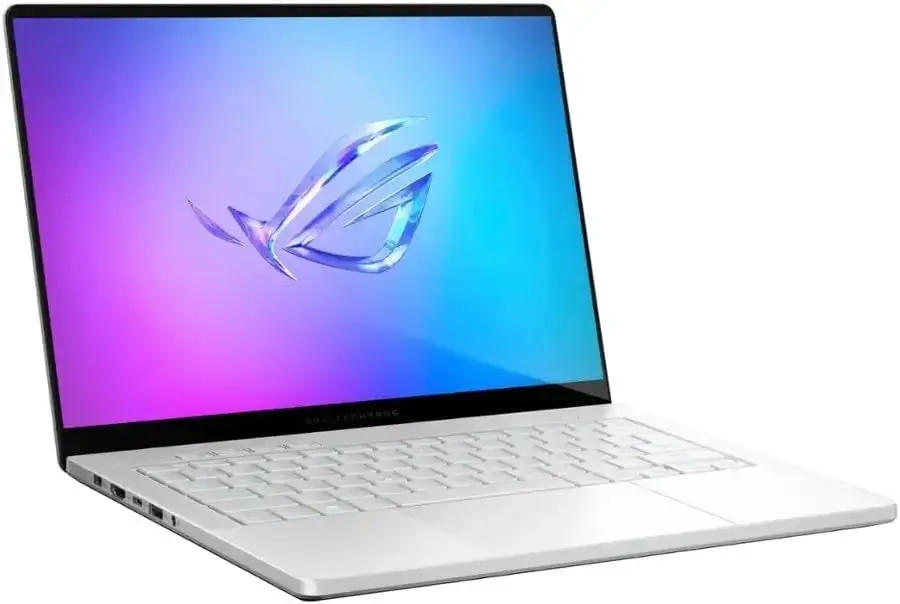
If portability is your top priority but you refuse to sacrifice performance, the ASUS ROG Zephyrus G14 was made for you. At just 0.63 inches thin and 3.31 lbs, it’s one of the lightest and most compact gaming laptops on this list yet it packs a serious punch under the hood.
This is the laptop you carry everywhere and still game on confidently.
Key Specifications – ASUS ROG Zephyrus G14
| Component | Details |
|---|---|
| CPU | AMD Ryzen 9 270 (8C/16T, up to 5.2GHz) |
| GPU | NVIDIA GeForce RTX 5060 (8GB GDDR7) |
| Display | 14″ 3K OLED ROG Nebula, 120Hz, 0.2ms |
| RAM | 16GB |
| Storage | 1TB PCIe SSD |
| Build | Platinum White Aluminum, 0.63″ Thin |
| Weight | 3.31 lbs |
| Cooling | Liquid Metal + 2nd Gen Arc Flow Fans |
| Audio | Six-Speaker System (252% Volume Boost) |
| OS | Windows 11 Home |
| Includes | HDMI Cable |
Key Features – ASUS ROG Zephyrus G14
- Stunning 3K OLED Display The 14″ ROG Nebula OLED panel running at 120Hz with a blazing 0.2ms response time is one of the best laptop displays available at any price.
- Colors are vivid, blacks are true and motion is incredibly sharp.
- Whether you’re gaming, watching content or editing photos, this screen makes everything look extraordinary.
- AMD Ryzen 9 + RTX 5060 Combo The AMD Ryzen 9 270 with 16 threads and a 5.2GHz boost clock handles demanding workloads with ease.
- Paired with the RTX 5060 (8GB GDDR7) and DLSS 4 support, you get smooth, visually impressive gaming well above what the price might suggest.
- Ultra-Portable Premium Build Wrapped in a Platinum White aluminum chassis, the Zephyrus G14 looks and feels like a premium machine from every angle.
- At just 3.31 lbs and 0.63 inches thin, it’s one of the most travel friendly best gaming PC laptops you’ll find no bulky bag required.
- Advanced Cooling in a Slim Body Fitting serious cooling into a slim chassis is no easy feat but ASUS pulls it off with liquid metal thermal compound and 2nd Gen Arc Flow Fans.
- The result is sustained performance without excessive throttling or noise, impressive given how thin this machine is.
- Six Speaker Audio System Most gaming laptops treat audio as an afterthought. Not this one.
- The six-speaker setup with 252% volume boost and bass down to 100Hz delivers a rich, immersive sound experience that genuinely enhances gaming and media with no headphones required.
Best Use Cases – ASUS ROG Zephyrus G14
- On the Go Gaming: Light enough to carry daily, powerful enough to game seriously wherever you are
- Creative Work: OLED display and strong CPU make it excellent for photo/video editing and content creation
- Streaming and Media: Six-speaker audio and 3K OLED panel create a premium entertainment experience
- Students and Professionals: Slim, stylish, and capable enough for both the classroom and the game room
- Travel Gaming: The most portable serious gaming laptop on this list
Who Is This Laptop Best For?
The ASUS ROG Zephyrus G14 is a perfect match if you are:
- A gamer who is constantly on the move and needs performance without the bulk
- A creative professional who wants a stunning display for design and editing work
- Someone who values premium aesthetics alongside real gaming capability
- A buyer looking for the best affordable gaming laptop that doubles as a stylish everyday machine
It may not be the best fit if you need a large screen, more than 16GB RAM out of the box or prefer a laptop you can leave on a desk permanently.
Pros and Cons – ASUS ROG Zephyrus G14
| Pros | Cons |
|---|---|
| Gorgeous 3K OLED 120Hz display | Very limited reviews (only 2 so far) |
| Ultra-slim and lightweight (3.31 lbs) | 16GB RAM may need upgrading later |
| RTX 5060 with DLSS 4 + GDDR7 | Low stock — only 7 units available |
| Liquid metal cooling in a slim chassis | Some sellers don’t offer Prime shipping |
| Six-speaker immersive audio | Protection plan costs extra |
| Premium aluminum build | |
| FREE 30-day returns |
5. Acer Predator Helios 16
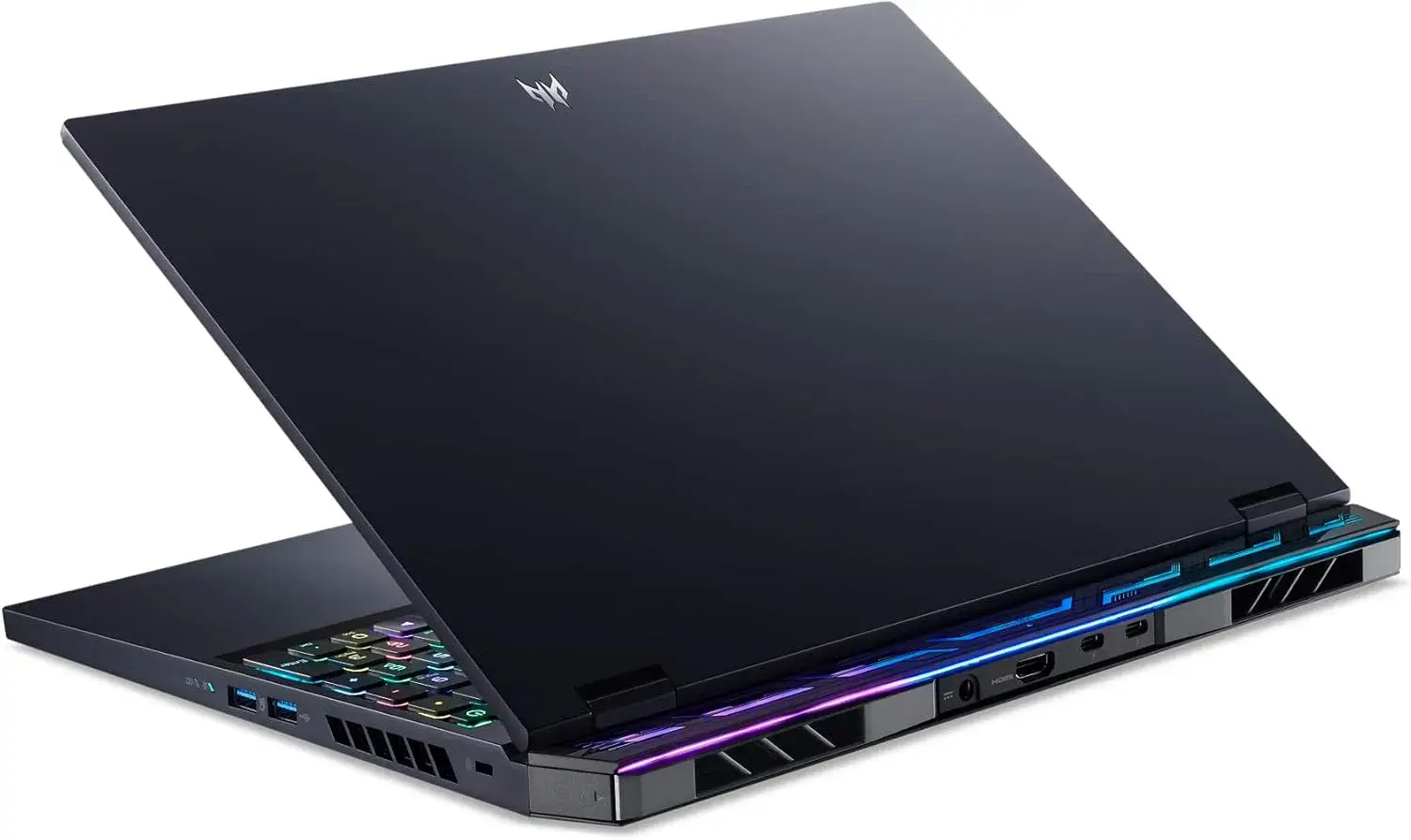
The Acer Predator Helios 16 is what happens when you combine a serious display, a powerful GPU and a full connectivity suite all at a mid range price. It’s not the flashiest laptop on this list, but it’s one of the most well rounded gaming laptops you can buy for under $1,600. For gamers who want high frame rates, a sharp screen and room to upgrade, this one ticks all the right boxes.
Key Specifications – Acer Predator Helios 16
| Component | Details |
|---|---|
| CPU | Intel Core i7-13700HX (13th Gen) |
| GPU | NVIDIA GeForce RTX 4060 (up to 140W TGP) |
| Display | 16″ WQXGA 2560×1600, 165Hz, G-SYNC, 3ms |
| RAM | 16GB DDR5 (Upgradable to 32GB) |
| Storage | 1TB PCIe Gen 4 SSD (Expandable) |
| Networking | Killer Wi-Fi 6E + Killer E2600 Ethernet |
| Ports | 2× Thunderbolt 4, HDMI 2.1, USB 3.2, Micro SD |
| Display Tech | NVIDIA Advanced Optimus + G-SYNC |
| Financing | ~$61.30/month (48 months) |
Key Features – Acer Predator Helios 16
- Sharp WQXGA Display with G-SYNC The 16″ 2560×1600 panel at 165Hz is the star of the show here.
- The 16:10 aspect ratio gives you more vertical screen real estate and G-SYNC eliminates screen tearing for a buttery smooth gaming experience.
- With a 3ms response time and NVIDIA Advanced Optimus for intelligent GPU switching, this display is genuinely excellent for both gaming and creative work.
- RTX 4060 at Full Power (140W TGP) Not all RTX 4060 laptops are equal power limits vary wildly between models.
- The Predator Helios 16 runs its RTX 4060 at a full 140W TGP, which means you’re getting significantly better performance than lower-wattage versions of the same chip.
- Expect smooth gameplay at 1440p and high frame rates at 1080p across most modern titles.
- 13th Gen Intel Core i7 Muscle The Intel Core i7-13700HX is a proven, high performance processor built for demanding workloads.
- Gaming, streaming and multitasking all run smoothly and it pairs excellently with the RTX 4060 without creating bottlenecks.
- Killer Networking for Online Gaming Serious online gamers will appreciate the Killer Wi-Fi 6E and Killer E2600 Ethernet combo.
- These aren’t generic networking chips; they’re optimized specifically to reduce latency and prioritize gaming traffic, giving you a competitive edge in fast paced multiplayer titles.
- Outstanding Port Selection Two Thunderbolt 4 ports, HDMI 2.1, USB 3.2, and a Micro SD reader make this one of the most well-connected laptops on this list.
- Whether you’re hooking up an external monitor, transferring files or connecting peripherals everything is covered.
- Room to Grow With two RAM slots (upgradable to 32GB) and two M.2 SSD slots, the Predator Helios 16 is built for the long haul.
- You won’t be stuck with the base config forever upgrade when you’re ready.
Best Use Cases – Acer Predator Helios 16
- High FPS Gaming: Handles competitive and AAA titles at high settings with smooth, tear-free visuals thanks to G-SYNC
- 1440p Gaming: The WQXGA display and RTX 4060 are a natural pairing for crisp 1440p gameplay
- Content Creation: Strong CPU, sharp display and Thunderbolt 4 make it capable for editing and production work
- Online Multiplayer: Killer Wi-Fi 6E and Ethernet ensure low-latency, stable connections in competitive games
- Future-Proof Setup: Expandable RAM and storage mean this laptop keeps up as your needs grow
Who Is This Laptop Best For?
The Acer Predator Helios 16 is an ideal pick if you are:
- A competitive or enthusiast gamer who wants a high-refresh, high-resolution display for an edge in gameplay
- Someone who needs excellent connectivity — Thunderbolt 4, Ethernet and Wi-Fi 6E in one machine
- A buyer who wants to upgrade their laptop over time rather than replace it
- A gamer who wants serious RTX 4060 performance without paying RTX 4070+ prices
It may not suit you if you need cutting edge GPU power for the very latest titles at max settings, or if portability and weight are top priorities.
What Real Buyers Are Saying – Acer Predator Helios 16
With 190 ratings and a 4.2-star average, the Acer Predator Helios 16 has earned genuine praise from real buyers. The display quality, gaming performance, and connectivity options are consistently highlighted as standout strengths.
A laptop cooler is a popular add on among buyers worth considering if you game for long sessions. Used options starting at $1,199 from verified sellers make it even more accessible for budget-conscious shoppers.
Pros and Cons – Acer Predator Helios 16
| Pros | Cons |
|---|---|
| Sharp WQXGA 165Hz G-SYNC display | Weight and dimensions not listed |
| RTX 4060 at full 140W — no power throttling | 16GB RAM may need upgrading for heavy multitasking |
| 2× Thunderbolt 4 ports | Older 13th Gen CPU vs newer competitors |
| Killer Wi-Fi 6E + Ethernet for low latency | Battery life not specified |
| Upgradable RAM (up to 32GB) + dual SSD slots | Protection plan costs extra |
| Strong 4.2-star rating from 190 buyers | |
| Affordable used option from $1,199 |
6. Alienware 16X Aurora
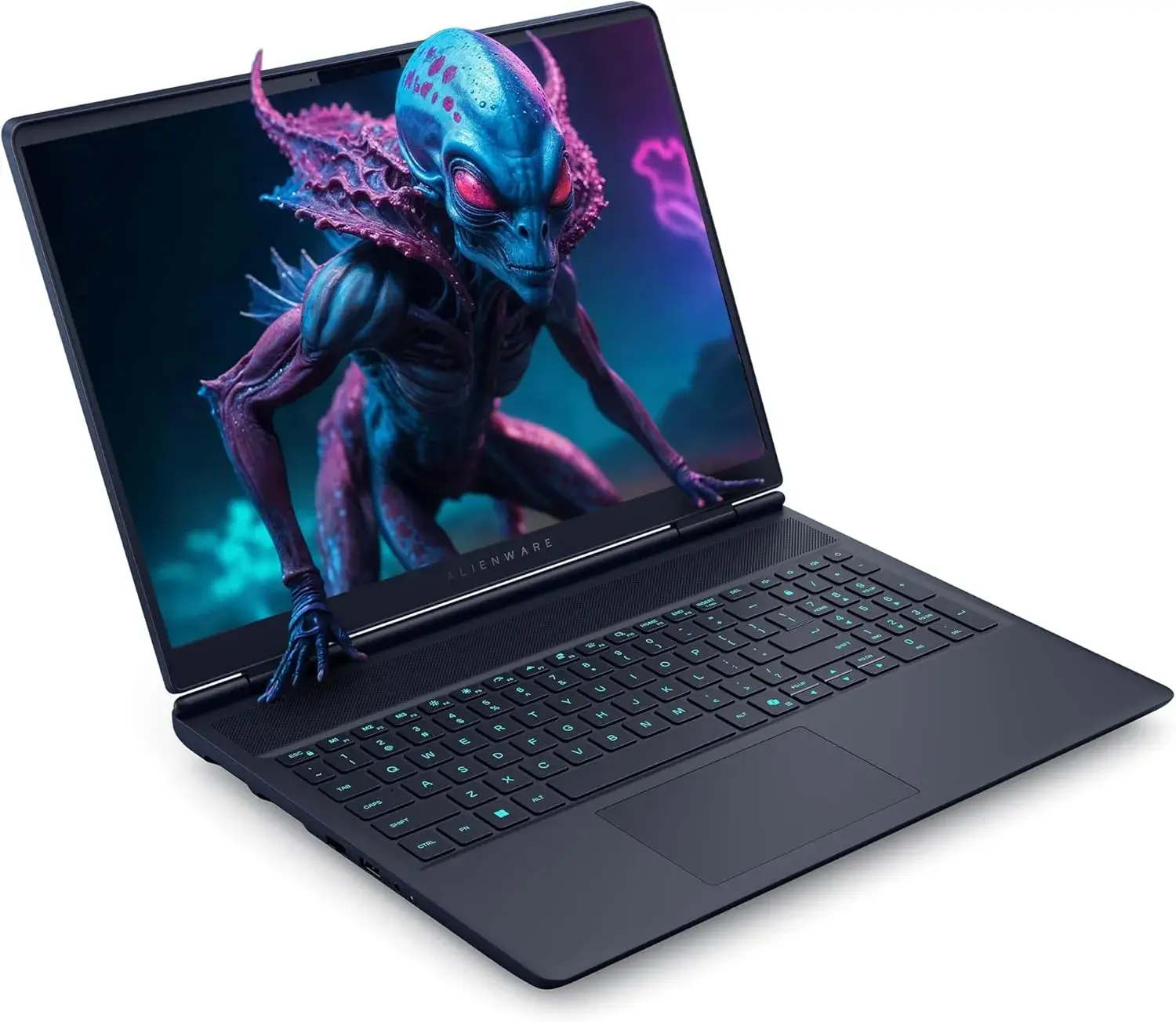
The Alienware 16X Aurora is the laptop you buy when you want the best of everything. elite specs, a stunning display, premium build quality, and the legendary Alienware name behind it. Available in a striking Interstellar Indigo finish, this machine doesn’t just perform like a flagship and it looks like one too. If you’re searching for the ultimate best gaming PC laptop and budget isn’t your primary concern, this is a very serious contender.
Key Specifications – Alienware 16X Aurora
| Component | Details |
|---|---|
| CPU | Intel Core Ultra 9 275HX (24 Cores, up to 5.4GHz) |
| GPU | NVIDIA GeForce RTX 5060 (8GB GDDR7, DLSS 4) |
| Display | 16″ WQXGA 2560×1600, 240Hz, G-SYNC, 500 nits |
| RAM | 32GB DDR5 |
| Storage | 1TB PCIe SSD |
| OS | Windows 11 Pro |
| Cooling | Alienware Cryo-tech |
| Connectivity | Wi-Fi 7, Bluetooth, Ethernet |
| Ports | Thunderbolt 4, HDMI 2.1, 2× USB-A 3.2, 2× USB-C 3.2 |
| Camera | 1080p FHD with Privacy Shutter |
| Build | Anodized Aluminum, ~0.92″ Thin, 5.86 lbs |
| Includes | Traix Mousepad |
Key Features – Alienware 16X Aurora
- Next Gen CPU with Built-In AI The Intel Core Ultra 9 275HX is one of the most powerful mobile processors available right now 24 cores, a 5.4GHz boost clock and a dedicated NPU for AI tasks.
- Whether you’re gaming, multitasking or running AI powered creative tools, this processor handles it all without breaking a sweat.
- RTX 5060 with GDDR7 Memory The NVIDIA GeForce RTX 5060 with 8GB GDDR7 brings next-generation graphics performance to this machine.
- With full support for DLSS 4 and ray tracing, games look stunning and run efficiently. GDDR7 memory is faster and more power efficient than the previous generation and a meaningful upgrade that future proofs your investment.
- 240Hz G-SYNC Display at 2.5K The 16″ WQXGA 240Hz G-SYNC panel hits a sweet spot between resolution and speed.
- At 2560×1600 with 500 nits of brightness and an anti-glare coating, it’s sharp enough for detailed visuals and fast enough for competitive gaming all in one display.
- This is the kind of screen that makes every game feel more immersive.
- Alienware Cryo Tech Cooling Alienware’s proprietary Cryo tech cooling system is purpose built for sustained high-performance gaming.
- It keeps thermals under control during long sessions, ensuring the CPU and GPU maintain peak clock speeds without throttling something cheaper laptops often struggle with.
- Windows 11 Pro Not Home Most gaming laptops ship with Windows 11 Home.
- The Alienware 16X Aurora comes with Windows 11 Pro, a genuine advantage for power users, professionals and anyone who needs advanced security, remote desktop or virtualization features built in.
- Complete Connectivity Suite With Wi-Fi 7, Thunderbolt 4, HDMI 2.1, Ethernet and dual USB-C + USB-A ports, this laptop connects to everything. Whether you’re hooking up a 4K monitor, transferring large files or running a wired network for zero-lag gaming every port you need is here.
Best Use Cases – Alienware 16X Aurora
- AAA Gaming: RTX 5060 GDDR7 + 240Hz G-SYNC display delivers an exceptional high-resolution gaming experience
- Competitive Gaming: 240Hz refresh rate gives you a real edge in fast-paced multiplayer titles
- Professional Creative Work: Core Ultra 9, 32GB RAM, and Windows 11 Pro make this a capable workstation for video editing and 3D work
- AI-Powered Tasks: Dedicated NPU handles AI workloads natively, future proofing the machine for emerging software
- Home Gaming Setup: Best used as a high-performance desktop replacement with occasional portability
Who Is This Laptop Best For?
The Alienware 16X Aurora is the perfect match if you are:
- A serious gamer who wants next-gen specs and a premium gaming experience
- A creative professional who needs both GPU power and Windows 11 Pro capabilities
- Someone who values brand prestige and build quality alongside raw performance
- A buyer looking for a future proof machine that won’t feel outdated for years
It may not be the best fit if you travel frequently (5.86 lbs is on the heavier side), need more than 1TB of storage, or prefer buying a product with established customer reviews.
Pros and Cons – Alienware 16X Aurora
| Pros | Cons |
|---|---|
| Core Ultra 9 + RTX 5060 GDDR7 — top-tier performance | Zero customer reviews yet |
| Stunning 240Hz G-SYNC WQXGA display | Heavier at 5.86 lbs — not ideal for travel |
| 32GB DDR5 RAM out of the box | Only 3 units left in stock |
| Windows 11 Pro included | Protection plan is an extra cost |
| Wi-Fi 7 + Thunderbolt 4 + full port suite | Battery runtime not specified |
| 1080p webcam with privacy shutter | |
| Traix Mousepad included |
Buying Guide – Which Gaming Laptop Is Right for You?
Choosing the best gaming laptop under $2500 doesn’t have to be complicated. Ask yourself three simple questions: What’s my budget? What do I play? and how do I use it? and the right choice becomes obvious.
Think About Performance First
If raw gaming power is your priority, you want the strongest GPU and CPU combination you can afford. The Lenovo Legion Pro 7i and Alienware 16X Aurora lead this list in pure performance both packing next-gen RTX 50-series GPUs and Intel Core Ultra 9 processors built for demanding AAA titles and high-FPS gaming.
Display Matters More Than You Think
Most gamers overlook the display and don’t make that mistake. A high refresh rate screen can make your games feel dramatically smoother. For the best visual experience, the ASUS ROG Zephyrus G14’s 3K OLED and the Alienware 16X Aurora’s 240Hz G-SYNC panel are the top picks on this list.
Stick to Your Budget
You don’t need to spend $2,000+ to enjoy great gaming. The ASUS ROG Strix G16 at $1,339 and the Acer Predator Helios 16 at $1,549 are both excellent affordable gaming laptops that deliver real performance without breaking the bank. The Razer Blade 15 is also a smart used buy at $1,299 if premium build quality is important to you.
Consider Portability
If you carry your laptop daily to class, work or on trips, weight and size matter. The ASUS ROG Zephyrus G14 is the clear winner here at just 3.31 lbs, making it the most portable good inexpensive gaming laptop on this list without sacrificing too much power.
Don’t Ignore Connectivity
Ports and networking are easy to overlook until you need them. If you game online competitively or connect multiple devices, prioritize laptops with Thunderbolt 4, Wi-Fi 7 and Ethernet. The Alienware 16X Aurora and Acer Predator Helios 16 lead the pack in connectivity options.
Conclusion
Finding the best gaming laptop under $2500 comes down to knowing what you need and picking the machine that delivers it.
Whether you go with the raw power of the Lenovo Legion Pro 7i, the budget friendly performance of the ASUS ROG Strix G16, the stunning portability of the ASUS ROG Zephyrus G14, the competitive edge of the Acer Predator Helios 16, the premium feel of the Razer Blade 15 or the flagship experience of the Alienware 16X Aurora every laptop on this list is a solid investment that will elevate your gaming setup.
No matter your budget or play style, there’s a perfect affordable gaming laptop here waiting for you. Take your pick, place your order and get back to what matters most playing the games you love at the performance level you deserve.
Check out our latest laptops reviews and comparisons.
